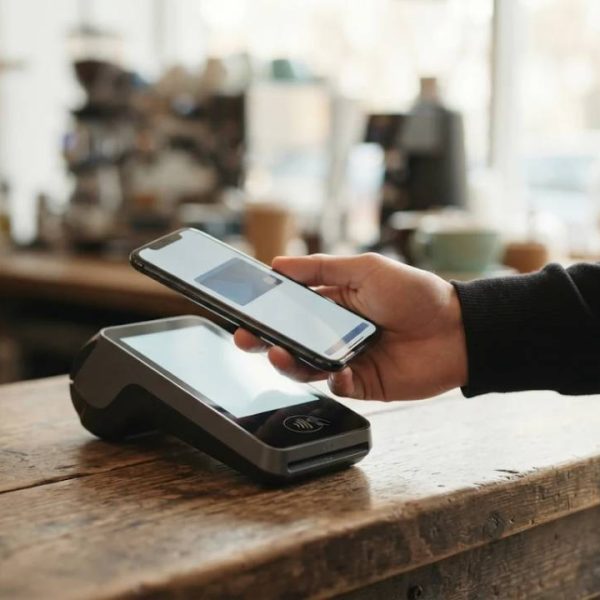
Mobile Payments and NFC Soft Cards for Small Business
- May 16, 2023· Article by David Brown
- business , mobile payments
Paying with a phone or a card by touching a terminal has become normal in many shops, cafes and transport systems. For businesses, mobile payments and near field communication, usually shortened to NFC, promise faster checkouts, fewer errors and happier customers. But setting them up requires choices about hardware, fees, security and customer support. This article explains how contactless payments work, what businesses should consider and how to prepare for customers who speak other languages.
How NFC Payments Work
NFC lets two devices exchange small amounts of data when they are a few centimeters apart. A phone or card sends a secure, one time code to the terminal, which passes it to the payment network for approval. The real card number is not shared with the shop, which adds safety.
Contactless payment is fast because the heavy security work happens in the background.
Benefits for Small Businesses
Faster checkout reduces queues, cuts cash handling and improves record keeping. Customers spend more easily when paying is simple. Sales data from the terminal helps with inventory, taxes and planning.
Payment choices also feed into the wider money picture, because fees, settlement timing and cash flow all shape what a small business can afford to do next. A clear financial planning approach helps owners weigh terminal costs against expected sales, set aside money for taxes and decide when an upgrade is worth the expense. Revisiting those numbers each quarter keeps payment decisions tied to the business's real goals instead of guesswork.
Small time savings per customer add up over a day.
Choosing a Terminal or Soft Card
Traditional card terminals are reliable and familiar. Soft payment solutions let a smartphone act as the terminal with an app and a security layer. Compare device cost, monthly fees, transaction fees, settlement time and support before choosing.
The best choice matches your volume and your type of shop.
Understand the Fees
Providers charge per transaction, monthly fees or both, and rates differ for cards, wallets and international payments. Read the contract, ask about refunds and chargebacks, and check how quickly money reaches your account.
Low headline rates can hide extra costs elsewhere.
Security Basics
Use terminals that follow industry standards, keep software updated, restrict access to staff who need it and never store card details yourself. Organizations like the NFC Forum publish specifications that support secure and compatible devices.
Trust is the real currency of payments.
Train Your Team
Staff should know how to handle a failed payment, refunds, tips and receipts. Prepare a simple card with steps and contact numbers. A calm, friendly response solves most problems quickly.
Good training turns technology into smooth service.
Customers From Other Countries
Tourists and international buyers often pay with foreign cards and wallets. Show accepted payment methods clearly and make receipts easy to read. For shops that serve visitors from Eastern Europe, professional bulgarian translation services help create signs, menus and policies in Bulgarian.
Clear language reduces hesitation at the till.
Financial Documents and Records
Businesses that expand abroad often need translated financial papers for banks, partners or authorities. Our guide on bank statement translation explains what to prepare and how to avoid delays.
Accurate documents support smooth cooperation with financial institutions.
Receipts and Customer Communication
Offer printed or digital receipts, show prices clearly and give contact details for questions. Clear refund and return rules reduce disputes. Short, polite messages after purchase build loyalty.
Simple communication prevents most complaints.
Online and In Store Together
Many customers now research online and pay in store, or the other way around. Connect your payment system with inventory and customer tools so numbers match. Offer the same prices and promotions in every channel.
Consistency makes shopping feel seamless.
Accessibility and Inclusion
Not everyone uses a smartphone. Keep cash and card options available, and make terminals easy to reach and use for people with different needs. Large buttons, clear screens and audio prompts help.
Inclusive payment options widen your customer base.
Plan for Outages
Networks and devices fail sometimes. Keep a backup method, such as a second terminal, offline mode where permitted or a note for manual payments. Test your setup regularly and know whom to call when something breaks.
A backup plan protects sales on busy days.
Measure and Improve
Track average transaction time, failed payments, refund rates and customer feedback. Use the data to adjust staffing, layout and terminal placement. Small changes can lift satisfaction noticeably.
What you measure, you can improve.
Legal and Tax Points
Follow local rules for receipts, taxes and data protection. Keep records for the required period and ask an accountant to review your setup. Compliance avoids penalties and builds trust with customers.
A short check with an expert saves long headaches.
A Starter Checklist
Decide your budget, compare providers, test a terminal, train staff, display payment signs, set refund rules and review monthly. Start with one location and expand once the process runs smoothly.
Simple steps make adoption easier.
Loyalty Programs and Digital Wallets
Many wallets let customers add loyalty cards and coupons next to payment cards. Connecting a simple rewards program to contactless payments encourages return visits without extra effort. Keep rules short and rewards realistic so staff can explain them quickly.
Rewards work best when they feel easy and fair.
Tips, Splits and Special Cases
Restaurants and service businesses need easy ways to add tips and split bills. Check that your terminal supports these features and that staff know how to use them. For high value sales, ask whether extra authentication is needed.
A flexible system handles real life situations.
Reporting for Owners
Daily and monthly reports show sales by hour, product and payment type. Compare them with your own records and share them with your accountant. Clear reports reveal busy periods, slow items and possible errors.
Good data guides better staffing and ordering.
Future Trends
Wearables, biometric checks, instant bank transfers and payments inside apps continue to grow. Businesses do not need every new option, but they should watch trends and test those that match their customers.
Staying informed helps you adopt changes at the right moment.